


Download iTubeDownloader – Fast, Secure Video Downloader for Mac
Overview
iTubeDownloader is a reliable video downloader designed exclusively for macOS users who want to save movies, music videos, podcasts, or any streaming content from YouTube, Vimeo, Dailymotion, and dozens of other popular sites. The tool combines a built‑in web browser, a handy browser plug‑in, and a powerful conversion engine into a single, easy‑to‑use package. While a one‑time payment unlocks a lifetime license, a free trial lets you test the core features before committing. The trial version limits you to lower‑resolution downloads and adds a discreet watermark, but it still showcases the speed, stability, and flexibility that make iTubeDownloader stand out in a crowded market. Whether you’re a casual viewer who wants to watch offline on a plane, a student collecting lecture videos, or a content creator needing quick access to reference material, iTubeDownloader offers a smooth, ad‑free experience that works right from your desktop.
Key Features
- Integrated Browser & Plug‑in: Browse your favorite sites inside the app or use the plug‑in that adds a download button directly to YouTube’s interface.
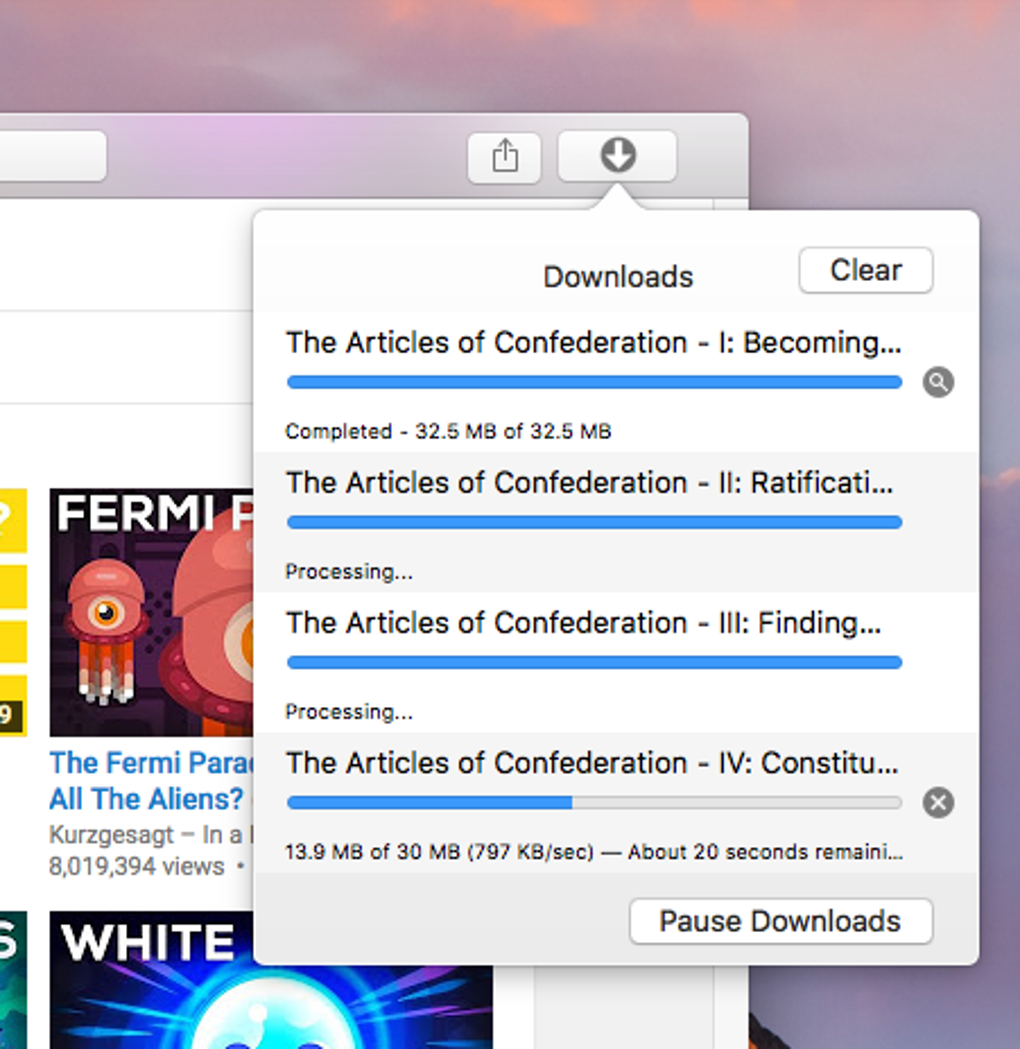
- Batch Downloads: Queue multiple videos at once and let the built‑in download manager handle them in the background.
- Resolution & Format Choice: Select from a wide range of resolutions (360p‑1080p) and choose MP4 or M4A output formats.
- Audio Extraction: Pull only the audio track for podcasts, music videos, or presentations and save it as high‑quality M4A.
- Built‑in Converter: Convert downloaded files to more than 10 popular formats, ensuring compatibility with any media player.
- Device Optimization Profiles: Over 100 pre‑programmed profiles automatically adjust video settings for smartphones, tablets, gaming consoles, and set‑top boxes.
- iTunes Integration: Automatically transfer downloaded videos or audio files to iTunes for easy syncing with iPhone, iPad, or iPod.
- Secure, No‑Ads Experience: All downloads are performed locally; the app never injects third‑party ads or trackers.
Installation, Usage & Compatibility
How to Install iTubeDownloader on macOS
Downloading and installing iTubeDownloader is straightforward. Visit the official website, click the Download for Mac button, and open the .dmg file once it finishes downloading. Drag the iTubeDownloader icon to your Applications folder, then launch the app. The first run will prompt you to allow the application to access your Downloads folder and iTunes library—granting these permissions ensures the program can save files where you expect them and sync directly to your Apple devices.
Step‑by‑Step Download Process
After installation, you have two primary ways to capture a video. The first method uses the integrated browser: simply navigate to YouTube or any supported site, find the video you want, and click the embedded Download button that appears below the video player. The second method works via the plug‑in: copy the video’s URL, paste it into the designated field at the top of the main window, select your desired resolution and format, then press Start. iTubeDownloader will add the file to the queue and begin downloading automatically. For batch operations, repeat the paste step for each URL; the queue will handle them sequentially.
Compatibility Details
iTubeDownloader is built for macOS 10.12 (Sierra) and later, including macOS Ventura and the upcoming macOS Sonoma. The software runs natively on Intel‑based Macs and Apple Silicon (M1/M2) thanks to Rosetta 2 translation where needed. While there is currently no iOS or Android version, the desktop app can export files to any device via iTunes sync or manual file transfer. The program supports only MP4 for video and M4A for audio output, which are universally compatible with Apple devices, Windows PCs, and most third‑party media players.
Pros, Cons & Frequently Asked Questions
Pros
- One‑time lifetime license – no recurring fees.
- Simple, ad‑free interface suitable for non‑technical users.
- Batch downloading and queue management save time.
- Built‑in conversion and over 100 device‑optimization profiles.
- Direct iTunes integration for seamless syncing with Apple devices.
Cons
- Trial version limits resolution and adds watermarks.
- No dedicated mobile app or Wi‑Fi transfer feature.
- Supports only MP4 and M4A output formats out of the box.
- Cannot download videos from sites that employ advanced DRM protection.
FAQ
Is iTubeDownloader safe to use?
Yes. iTubeDownloader is a desktop application that stores all downloaded files locally. It does not contain ads, hidden malware, or telemetry that sends your data to third parties. The developers also provide regular updates to address security patches.
Can I download videos in 4K resolution?
The full version supports up to 1080p HD. 4K downloading is not currently available, but the developers have hinted at a future update that may include higher resolutions.
How does the built‑in converter work?
After a video finishes downloading, you can click the Convert button in the transfer section. Choose from formats such as MOV, AVI, MKV, or MP3 (audio only). The converter uses FFmpeg under the hood, delivering fast, lossless conversion without leaving the application.
Can I transfer downloaded files to my iPhone wirelessly?
iTubeDownloader does not currently support Wi‑Fi or AirDrop transfer directly from the app. However, you can sync files to your iPhone via iTunes or Finder on macOS, which remains a reliable method.
What happens after the one‑time payment?
A single payment unlocks all current features for life, including future minor updates. Major version upgrades may be offered at a discounted upgrade price, but the core download, conversion, and optimization tools remain functional indefinitely.
Conclusion & Call to Action
iTubeDownloader positions itself as a solid, Mac‑focused solution for anyone who needs to download, convert, and organize streaming media without the hassle of multiple third‑party tools. Its integrated browser and plug‑in streamline the capture process, while batch downloading, conversion, and device‑specific optimization add genuine value for power users. Although the lack of a mobile companion and the restriction to MP4/M4A formats may be limiting for some, the overall experience is polished, secure, and backed by responsive support. If you’re ready to enjoy offline playback of your favorite YouTube, Vimeo, or Dailymotion videos on macOS, iTubeDownloader offers a one‑time purchase that eliminates recurring fees. Download iTubeDownloader today from the official site, try the free trial, and decide if the lifetime license meets your media‑download needs.
iTubeDownloader delivers a smooth, ad‑free experience with powerful batch and conversion features. The only drawbacks are the missing mobile app and limited output formats, but for Mac users who want a reliable offline video solution, it’s a worthwhile investment.







